Prime Video
- 4.7
- Rating
- 500.00M
- Installs
- Free
- Price

 Analysis by App-foxy
What makes Prime Video interesting to me is not simply that it puts films and series on a phone. Its more useful strength is the way it brings together on-demand entertainment, live programming, and sports in one viewing space. That combination changes how I use it: I can open the app for a planned episode, then switch to something live when I want the feeling of watching along with other people.
That flexibility is the main reason I would recommend it to someone who does not want separate apps for every kind of viewing. It is a free entertainment app from Amazon Mobile LLC, although the content available to watch can depend on the Prime Video access and purchases connected with the account. The app itself is listed for Teen audiences, and optional purchases range from a few cents to several hundred dollars per item, so I would pay attention before confirming anything on a shared device.
With an average rating of 4.0 from around 5 million ratings and more than 500 million installs, it is clearly a familiar choice rather than a niche player. I still would not call it perfect. The catalog experience can feel busy, and the difference between included viewing, rentals, purchases, and other access options is important. Used with a little care, though, it is a capable all-rounder.
In-Depth Coverage of Prime Video
One viewing space for on-demand, live, and sports
I find the appeal of this setup clearest when a viewing plan changes mid-evening: the same space can lead from a chosen episode to a live event without starting over in another app. In this section, I’ll focus on how that range affects the way I choose what to watch, and why it helps to check a title’s viewing details before settling in.
The capability that matters most
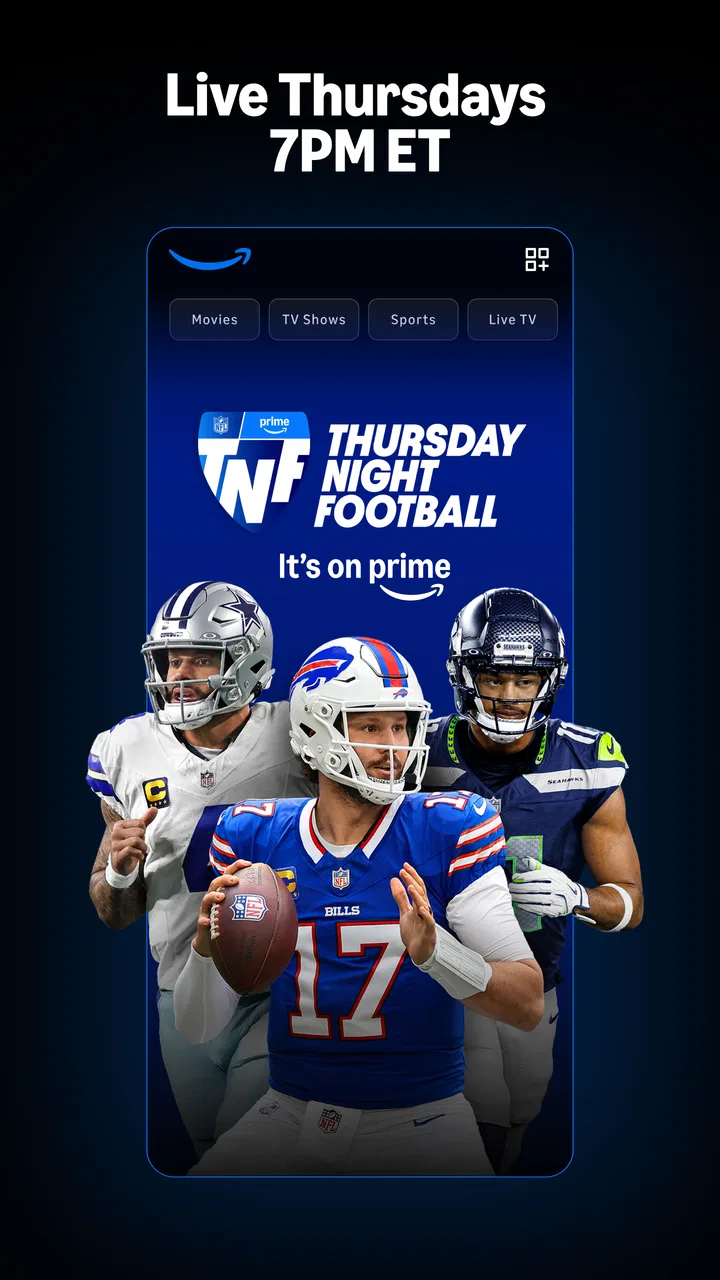
The central capability here is the mix of on-demand viewing and live programming. Many streaming apps are strongest when you already know the film or series you want. Prime Video feels broader because it can also serve the role of a live television destination, especially when I want sports or an event that is happening now rather than something selected from a library.
That distinction matters in everyday use. On-demand viewing gives me control over the start time, while live content creates a fixed moment. Keeping both in the same app means I do not have to change my entire entertainment routine whenever my mood changes. I can watch an episode during a short break, then browse live options later without moving to another service.
I also find this useful for households with different habits. One person may want a film, another may be following sports, and someone else may prefer a series. Prime Video does not magically solve every account or access issue, but its wider scope reduces the need to treat every type of viewing as a separate task.
How the app presents that choice
When I open Prime Video, I approach it less like a carefully arranged film shelf and more like a large menu. The useful habit is to decide first whether I am looking for something included with my access, a live option, or a specific title. Browsing without that goal can lead to a lot of scrolling and make the service feel less focused than a specialist app.
Search is therefore more valuable than casual browsing for me. If I have a particular actor, title, or series in mind, I go straight to the search field instead of relying on the first rows shown on the home screen. For live viewing, I check the live area directly rather than assuming that an event will appear beside ordinary films and episodes in an obvious way.
The app’s broad purpose also means that the viewing path is not always identical. A title may lead to immediate playback, while another may require a rental, purchase, or a different access arrangement. I consider this one of the most important practical details for new users: the visual presentation can make several kinds of content look similar, but the action required before watching may differ.
On a family tablet, I would especially avoid handing the device to a child and letting them explore without supervision. The Teen age classification is a useful general signal, but it is not a substitute for checking individual titles. The purchase range also makes account awareness worthwhile. I would keep payment confirmation under the account owner’s control and explain to other household members which content is already available.
A realistic evening with the app
Imagine I have a normal weekday evening. I start with a series episode while eating, because on-demand playback lets me fit the program around dinner rather than around a broadcast schedule. Later, I notice that a live sports option is available. Instead of opening another service and remembering another interface, I move to the live section and continue there.
This sounds simple, but the benefit is practical rather than flashy. The app becomes a single starting point for two different moods: controlled viewing and shared-time viewing. If the live option is not included in the access I have, I can discover that before committing to it, provided I read the title’s viewing details carefully.
On a weekend, the same workflow works in reverse. I might begin with a live event, then switch to a film once it finishes. That is where Prime Video feels more useful than an app built only around a fixed catalog. It supports a loose evening plan instead of forcing me to decide everything before opening it.
Small habits that make the experience better
My first tip is to use search as a filter, not only as a way to find a title. Searching for a known program avoids the distraction of rows that mix different access types. If I am browsing for something new, I still pause on the title page and check how it can be watched before pressing play.
You May Also Like

 AccuWeather: Weather Radar
AccuWeather Review: A Quick, Clear Forecast for Everyday Decisions
For everyday plans, the best forecast is the one you can understand quickly. AccuWeather makes rain timing, radar, and local conditions easy to act on, with a few trade-offs.

 Hill Climb Racing
Why Hill Climb Racing Still Turns Crashes Into One More Run
A tiny car, a bumpy hill and one more upgrade: Hill Climb Racing keeps resurfacing because its simple chaos makes every near-miss feel personal.

 AliExpress - Shopping App
AliExpress Makes Global Shopping Feel Personal, but Shoppers Bear the Risk
AliExpress turns a global marketplace into a pocket-sized discovery engine. Its reach is useful, its shopping loop compelling, and its trade-offs easy to miss.

 Lords Mobile: Kingdom Wars
Lords Mobile Is a Kingdom-Building Routine, Not a Quick Match
A case-by-case verdict on the building, battles, device demands, and social commitments that make Lords Mobile rewarding for some players and exhausting for others.

 PDF Scanner app - TapScanner
TapScanner Makes Paperwork Easier to Capture, Check, and Share
TapScanner makes scanning with a phone feel less like a rescue operation and more like a dependable step in getting work done. Its capture tools are useful, though not flawless.

 Block Blast!
 Shows How Much a Puzzle Game Can Leave Out
A quiet grid game shows why puzzle players increasingly value instant clarity, repeatable skill and low-pressure play—and where the genre still needs to catch up.
More From Our News Desk
View All News


My second tip is to separate “what I want to watch” from “what is available right now.” For a film night, I can take time choosing. For sports or live programming, the timing matters more, so I look at the live destination first. This simple distinction prevents me from treating live content like an ordinary library item.
A third useful habit is to think about the app as a household service rather than a personal player. On a shared television, I would agree on who can approve rentals or purchases and who is allowed to browse freely. That is not exciting setup advice, but it avoids the most unpleasant surprise associated with a broad streaming catalog: selecting something that is not part of the expected access.
I also recommend judging the service over several kinds of viewing rather than after one film. Its value comes from the combination of ordinary series, films, live programming, and sports. If I only use it for one narrow purpose, a more specialized alternative may feel cleaner and easier.
Where the convenience has limits
The biggest trade-off is breadth versus clarity. Because Prime Video covers several entertainment formats, the interface can require more attention than a service dedicated to one catalog. I sometimes have to slow down and inspect a title instead of assuming that every item shown is ready to play under the same conditions.
That friction is especially noticeable when I want a quick decision. A focused service may be better for someone who values a simpler route from opening the app to starting an included film. Prime Video is more versatile, but versatility creates more branches: on-demand choices, live options, sports, and content that may involve an additional transaction.
Another limitation is that the app cannot make every title equally relevant to every viewer. A large entertainment platform can offer plenty of choice while still leaving me unsure what to watch. I have learned not to measure it only by the size of the home screen. The real question is whether its mixture matches my habits.
Live programming also changes the way I plan. On-demand playback is forgiving; a live event is not. If I arrive late or miss the moment I wanted, the experience may be less satisfying than simply choosing a completed episode. For people who dislike schedules, the live side may add little value, even though it is a notable part of the app’s identity.
How it compares with familiar alternatives
Compared with a traditional television setup, Prime Video gives me more control over when I begin a film or episode and puts live viewing beside that flexibility. Traditional television can feel easier when I want to turn it on and accept whatever is currently scheduled, but it offers less control over an on-demand evening.
Compared with a specialist on-demand service, Prime Video’s advantage is range. I can use one app for films, series, live programming, and sports rather than selecting a separate destination for each. The specialist may still win if its interface feels more focused or if its catalog is a closer match for my taste.
Compared with a sports-first app, Prime Video is not automatically the better choice for someone whose entire routine revolves around sports. Its appeal is that sports sit alongside other entertainment, not that every sports enthusiast will find a general-purpose service sufficient. I would choose it when I want sports as part of a wider viewing mix.
That comparison leads to a useful rule: choose Prime Video for variety in one place, not merely because it is another way to watch a film. If my priority is the cleanest possible interface for one type of content, a narrower app may be more satisfying.
Who benefits most from the broader format
I think the strongest audience is the household that moves between different kinds of entertainment. Someone who watches series during the week, films on weekends, and occasionally follows live sports can get more from the app than someone who uses only one of those areas.
It is also a good fit for viewers who dislike maintaining several entertainment routines. One app does not guarantee one bill or one access rule for every title, but it does give me one familiar place to begin. That reduction in switching is valuable when the goal is simply to relax.
People who share devices should approach it with a little more care. The Teen content rating means I would not treat the whole service as automatically suitable for younger children. I would also make sure everyone understands that some items may involve optional purchases, especially when the account is connected to a stored payment method.
I would be less enthusiastic about recommending it to someone who wants a completely predictable included catalog with no need to inspect viewing options. That person may prefer a service whose entire experience is built around one clearly defined library. Prime Video rewards curiosity and flexibility, but it asks the viewer to notice the difference between the available paths.
What the numbers suggest, and what they do not
The app has been available since August 28, 2017, and its reach is reflected in the scale of its audience: it has collected around 217 thousand written reviews and carries a 4.0 average. Those figures tell me that Prime Video is established and widely used, but they do not remove the need to judge its fit for my own viewing habits.
It is free to install, which makes trying the interface straightforward. The important distinction is between installing the app and having access to every piece of content displayed inside it. I would treat the download as an invitation to explore, not as a promise that every film, series, live program, or sports option follows the same access rule.
The developer, Amazon Mobile LLC, has built an app that aims to cover a wide entertainment range rather than one narrow use. That ambition is its clearest strength and its clearest source of complexity. I appreciate the convenience, but I would rather spend a moment checking a title than assume that the whole catalog behaves uniformly.
My recommendation after using it
Prime Video works best when I use its defining capability deliberately: moving between on-demand entertainment and live viewing without changing apps. That is a meaningful advantage for a mixed household or for anyone whose evening can shift from a planned episode to a live event.
I would recommend it to a friend who wants a broad entertainment hub and is comfortable checking the details of each title. I would not recommend it solely to someone seeking the simplest possible catalog or a sports-only destination. Those users may value a more specialized service.
For me, the final judgment is positive but measured. The app is flexible, widely adopted, and useful in real household routines. Its main weakness is the attention required to understand what kind of viewing option I am selecting. If I keep that distinction in mind, the combination of films, series, live programming, and sports makes it a practical addition to an Android or iOS entertainment setup.
FAQs for Prime Video
01What is Prime Video, and how does it work?
Prime Video is a streaming service offered by Amazon that allows users to watch a wide variety of movies, TV shows, and original content. Accessible through a subscription, it provides an extensive library updated regularly. Users can stream content on multiple devices, download for offline viewing, and enjoy features like X-Ray for insights.
02Is a Prime Video subscription necessary to access content?
Yes, a subscription is required to access the full Prime Video library. It is included with an Amazon Prime membership, which also offers other benefits like free shipping on Amazon purchases. Alternatively, users can subscribe solely to Prime Video. Some content may require additional rental or purchase fees.
03Can Prime Video be accessed on multiple devices simultaneously?
Prime Video supports simultaneous streaming on up to three devices with one account. However, the same title can only be streamed on two devices at the same time. The app is compatible with a range of devices, including smart TVs, tablets, smartphones, gaming consoles, and web browsers.
04What are the download options for offline viewing on Prime Video?
Prime Video allows users to download titles for offline viewing on mobile devices like tablets and smartphones. The number of titles you can download depends on your device's storage capacity and the licensing agreements with content providers. Downloads are accessible through the app and vary by region.
05Is parental control available on Prime Video?
Yes, Prime Video offers parental control settings to restrict access to certain content based on age ratings. Parents can set up a PIN to prevent children from accessing inappropriate material. The settings can be adjusted to suit different age groups, providing a safer viewing environment for families.
Pros
- Extensive library with diverse genres.
- User-friendly interface for easy navigation.
- Offline downloads for on-the-go viewing.
- 4K streaming available for select titles.
- Parental controls for family safety.
Cons
- Limited simultaneous streams on basic plan.
- Some titles require additional payment.
- Region restrictions on certain content.
- Advertisements in some shows and movies.
- User profiles not customizable.

Prime Video
Gallery